Getting Started
Getting Started: Billing Admin
You manage your agency's subscription and billing. Here's what to set up and where to find everything.
Billing Admin is a permission layered on top of your Creator or Viewer role, not a replacement for it. If you haven’t already, start with Getting Started: Creator or Getting Started: Viewer to cover the fundamentals.
What you control as a Billing Admin
- See your agency's current plan tier and request a change through support
- Enter and update your payment method
- Review and download invoices
A note on the upgrade fee: The release of APBnet™ includes a one-time upgrade fee. As a nonprofit, Critical Reach never wants cost to be a barrier to continued use. If your agency has concerns about the cost structure, reach out — we can help. Use the support form in the Admin tab to start that conversation.
First things to do
- 1
Check your agency's current plan
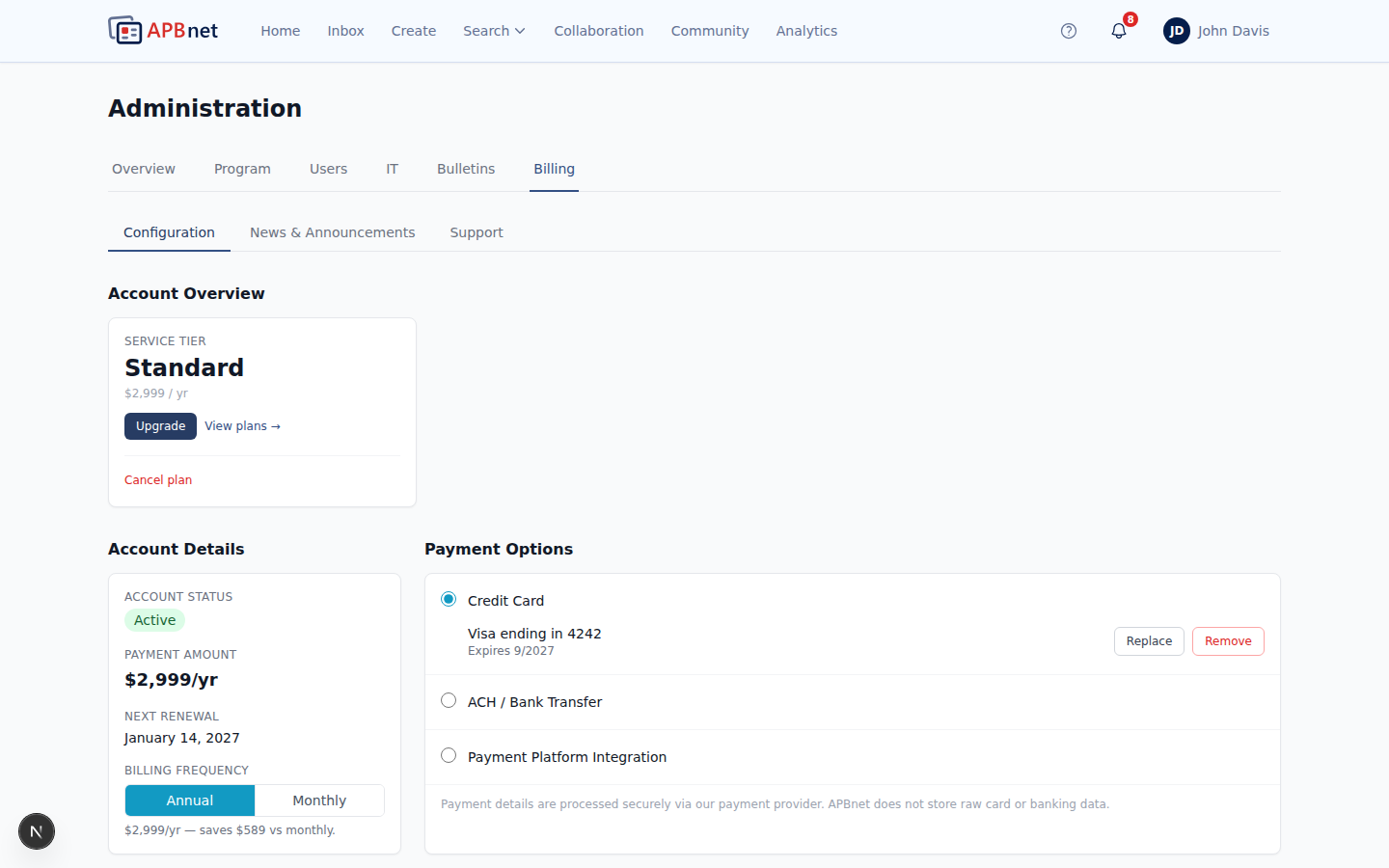
Open the Billing tab in Admin to see your agency's current plan tier. There's no self-service upgrade or downgrade — if you need a different tier, use the support form on the same tab to start that conversation with Critical Reach.
- 2
Enter your payment method
Add your agency's payment method to activate the subscription. Keep this current — a lapsed payment method can interrupt your agency's access.
- 3
Confirm your first invoice
After setup, your first invoice will appear in the billing portal. Download it for your records or forward it to accounts payable. All future invoices are stored here and available any time.
Tips for Billing Admins
Plan changes go through support, not a self-service toggle
Don't look for an upgrade or downgrade button on the Billing tab — there isn't one. Use the support form there instead, and the Critical Reach team will follow up directly.
Keep your payment method current
A lapsed payment method can interrupt your agency's access. After entering your payment information, set a reminder to update it before it expires.
Invoices are available any time
Past invoices are stored in the billing portal and can be downloaded for your records or forwarded to accounts payable. You don't need to contact Critical Reach to retrieve them.
Where to get help
For billing questions, plan changes, or payment issues, use the support form in the Admin tab to reach the Critical Reach team.
For the full walkthrough of the Billing tab, see Managing Billing & Invoices.