Messaging Policy
Last updated: September 8, 2026
1. What this policy covers
This policy describes the SMS text message alerts APBnet™ sends to subscribing users. APBnet is a bulletin-sharing platform used by law enforcement agencies to distribute time-critical alerts — missing persons, wanted subjects, officer-safety advisories, and related case updates — to sworn officers, dispatchers, and support staff at subscribing agencies.
APBnet does not send marketing, promotional, or third-party messages by SMS. Every text message is a law-enforcement bulletin or platform alert that the recipient specifically chose to receive.
2. How to opt in
SMS alerts are opt-in only, and are managed entirely by the individual user inside their own APBnet account:
- Log in to APBnet and go to Settings → User Settings, and add a mobile phone number. A phone number is never required to use APBnet.
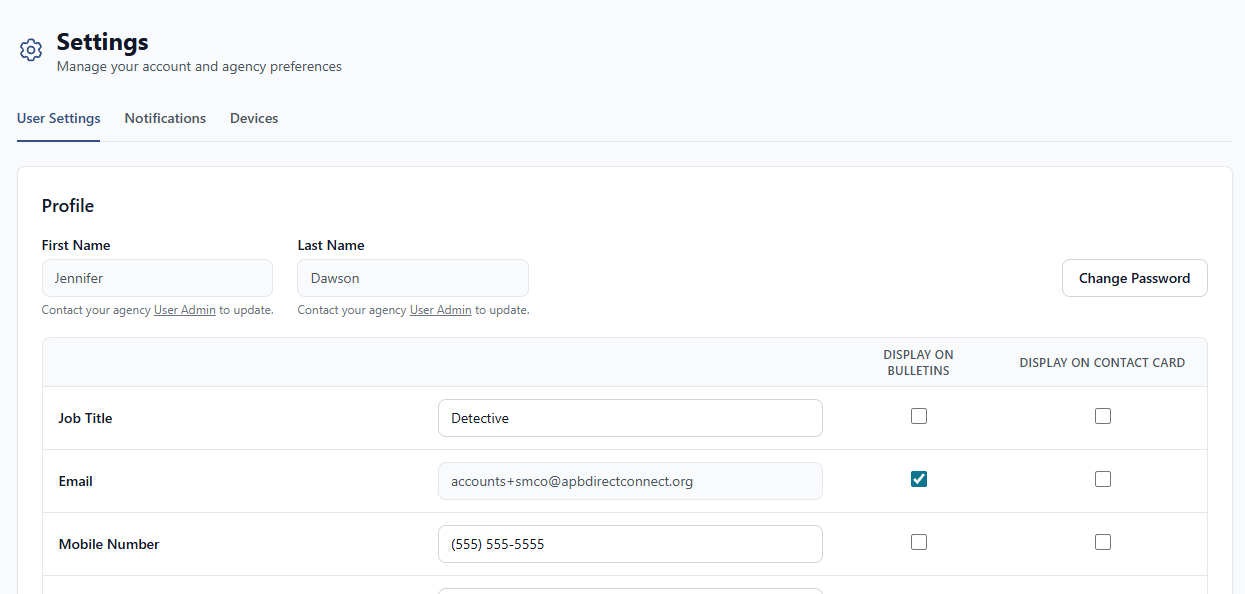
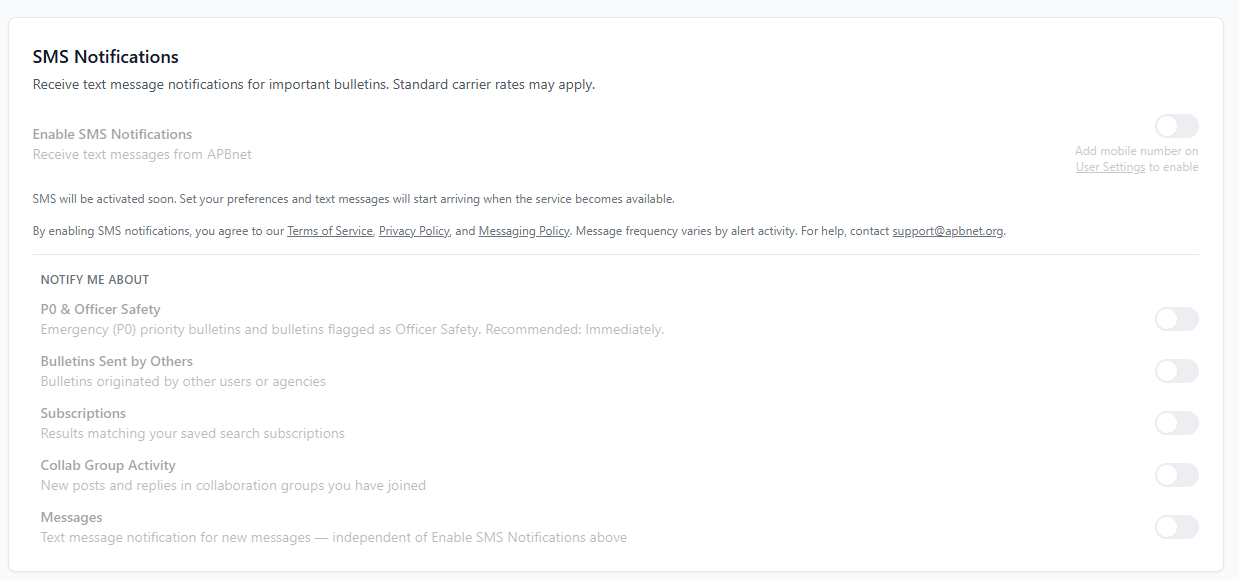
- Go to Settings → Notifications. The “Enable SMS Notifications” toggle stays off, and is disabled, until a phone number is on file.
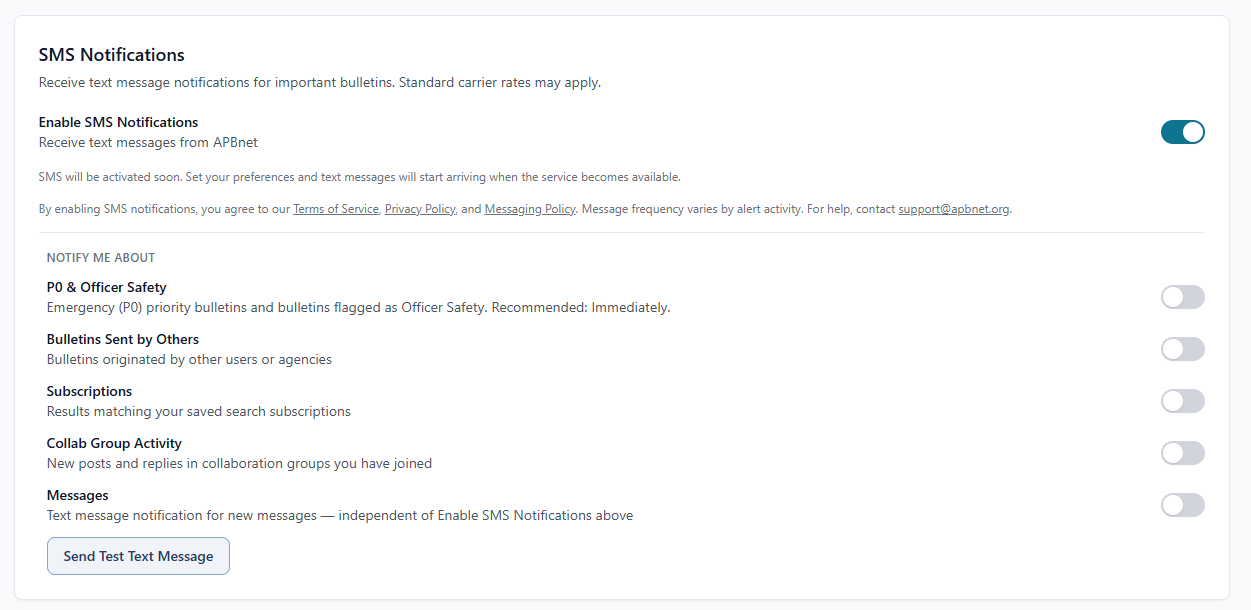
- Turn on SMS Notifications. This is a distinct, affirmative action, separate from adding a phone number. Directly above the toggle, APBnet discloses this policy and message frequency before the recipient enables anything.
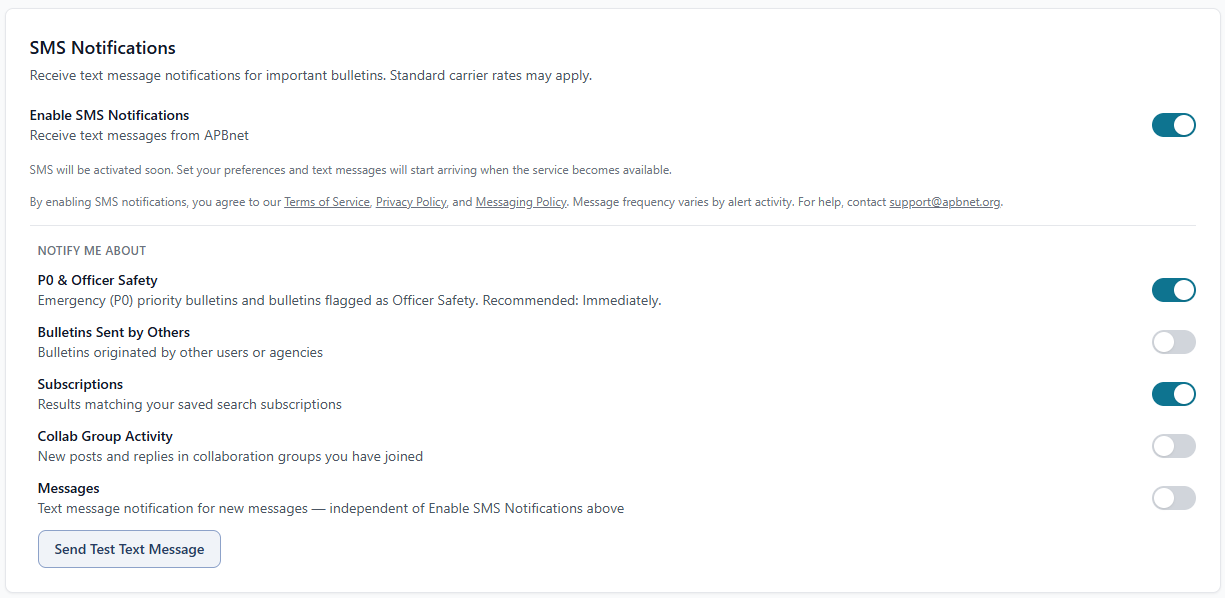
- Choose which specific categories of alert to receive by text. No category is enabled by default — each is a separate choice: P0 & Officer Safety, Bulletins Sent by Others, Subscription matches, and Collaboration Group Activity.
A user can fully use APBnet — including receiving alerts by email and in-app — without ever adding a phone number or enabling SMS.
3. Message frequency and rates
Message frequency varies by alert activity at your agency — there is no fixed monthly volume. Message and data rates may apply from your mobile carrier.
4. How to opt out
Reply STOP to any APBnet text message, or turn off SMS Notifications in Settings, to stop all SMS alerts immediately. Reply START to resubscribe. Reply HELP, or contact support@apbnet.org, for support.
5. What we send, and what we don’t
Every SMS alert is either a law-enforcement bulletin generated by a subscribing agency, or a platform notification about your own account (such as a new direct message). A bulletin’s subject matter is set by the reporting agency, not by Critical Reach, and may factually describe a case involving a weapon, a missing person, or another public-safety matter — that is the alert itself, not advertising or promotional content about any product or service.
APBnet’s messaging feature may only be used to deliver these bulletins and platform alerts. It is never used for illegal content, hate speech, deceptive links, or any content unrelated to the law-enforcement bulletin it represents, and never for marketing communications of any kind.
6. Data use
Phone numbers and SMS opt-in data are used only to deliver the alerts described above, and are never shared with third parties or affiliates for marketing or promotional purposes. See our Privacy Policy for complete data handling practices.
7. Contact
For questions about this Messaging Policy, contact us at:
Critical Reach, Inc.
25 Latham Court, Hillsborough, CA 94010
support@apbnet.org