How-To Guides
Using Bulletin Fields
Bulletin fields are the structured data that makes APBnet™ searchable. When you fill in a plate number, a name, or a case number as a field value — not just in the description text — other officers can find your bulletin in seconds using those exact values.
Why fields matter more than description text
A license plate buried in the description text of a bulletin can only be found by searching for that exact phrase. A license plate entered into the License Plate field is indexed as structured data — searchable by partial match, filterable, and surfaced in subscription alerts for plate-based subscriptions. The same logic applies to every field: fill it in, and APBnet™can use it. Leave it in prose, and it's just text.
One subject or several — Subject Mode
At the top of the Data & Photos step, a Subject Mode toggle switches between Single Subject and Multi Subject. Multi Subject supports two to four subjects in the same bulletin — each with its own fields and its own photos — instead of one set of fields for the whole bulletin.
Use Multi Subject when one incident genuinely involves several distinct subjects — say, two suspects in the same robbery, or a group of vehicles traveling together — rather than sending separate bulletins for each. The Layout step also offers layout variants built specifically for multiple subjects, so the preview stays organized regardless of how many you add.
Before you start
- Fields appear in the bulletin creation wizard after you choose a type. Which fields are available depends on the bulletin type — a vehicle-focused BOLO shows different fields than a Missing Person.
- Required fields are marked. Optional fields are worth filling whenever you have the information — every field you complete improves searchability.
- Your Program Admin may have configured additional required fields specific to your agency.
Steps
- 1
Progress through the wizard to the Fields step.
The fields form appears after bulletin type and subject selection. Fields are organized into sections — subject, vehicle, and case information — depending on the bulletin type.
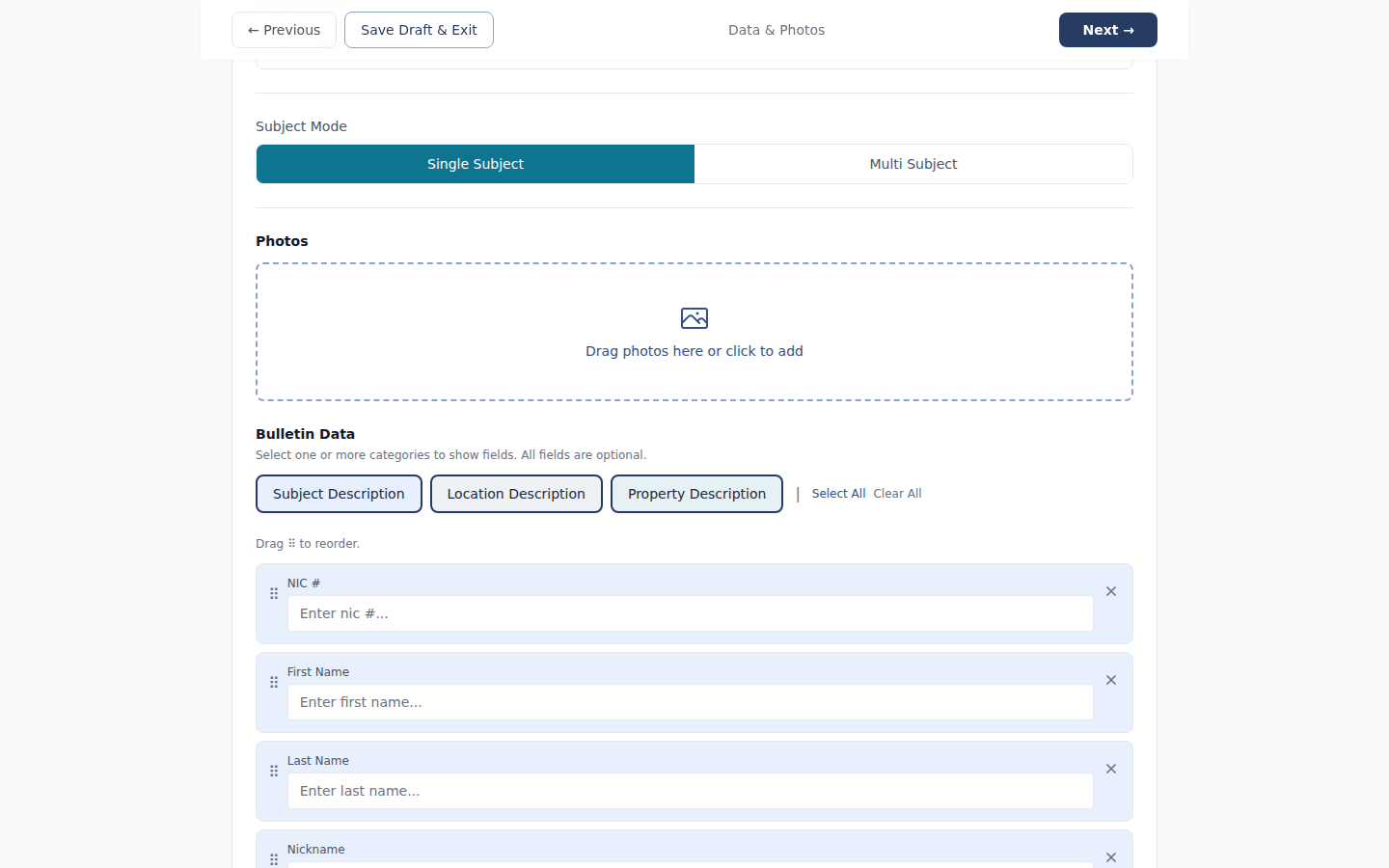
Bulletin fields step in the creation wizard — showing person and case fields with required indicators - 2
Complete all required fields, then fill optional fields with whatever information you have.
Don't skip optional fields just because they're optional. If you have a partial plate, enter it. If you know approximate height and weight, enter them. Every field you complete increases the chance another officer finds this bulletin through a search.
- 3
Use the description field for context that doesn't fit a structured field.
The free-text description is for narrative context — what happened, observed behavior, known associates, relevant circumstances. Don't put plate numbers or names only in description text; put them in the structured fields and use description for the story around them.

Bulletin fields form with structured fields completed — plate, DOB, height, weight filled in, plus a description - 4
Click Continue to proceed to layout and distribution.
You can return to the fields step before sending if you need to add or correct information.
Common fields by category
Subject — Person
- Name (first, last, alias)
- Date of birth
- Height
- Weight
- Hair color
- Eye color
- Distinguishing marks or tattoos
Subject — Vehicle
- Make
- Model
- Year
- Color
- License plate
- VIN
- Distinguishing damage or modifications
Case
- Case number
- Bulletin type
- Originating agency
- Incident location
- Incident date and time
Available fields vary by bulletin type. Your agency may have additional required fields configured by your Program Admin.
Tips
Partial information is better than none
If you have a partial plate — say, three of seven characters — enter what you have. Partial plate searches work in APBnet™, and a partial match is far more useful than no match at all. Same applies to approximate DOB, partial name, or uncertain vehicle color.
Plate and VIN in fields activate plate subscriptions
If another officer has set up a subscription for a specific plate, that subscription only fires if the plate is entered into the structured License Plate field — not if it appears only in description text. Structured fields are what make subscriptions work.
Fields can be edited after sending
If you realize you entered incorrect information after the bulletin is sent, you can edit the fields and save an update. Recipients who have the bulletin open will see the update flagged.
Related guides
Bulletin Types Explained
The type you choose determines which fields appear and which are required.
Read the guide →
Tags Explained
Tags sit in the same wizard step as type selection, right before fields.
Read the guide →
Choosing a Bulletin Layout
Layout selection happens in the same wizard, before or after fields.
Read the guide →
Map-Based Distribution Selection
After filling fields, set which agencies receive the bulletin.
Read the guide →